The 1 Privacy Threat That Matters Most in 2026
Most people's digital privacy is exposed in three places simultaneously: their ISP sells their browsing data, every password is a phishing target, and their personal information is for sale on data broker sites. Here's the complete 2026 guide — what each threat is, which tools address it, and the order to implement them.
Thomas Walsh
Legal Services & Insurance Editor
June 22, 2026
Updated June 22, 2026 · 10 min read

Last updated: June 2026. Includes 2024 ISP data sale practices, 2025 VPN audit completions, and updated data broker landscape.
Quick answer: The average person’s digital privacy is exposed across four distinct threat surfaces simultaneously: ISP surveillance (your internet provider logs and may sell your browsing history), credential theft (password reuse means one breach unlocks everything), website tracking (cookies, fingerprinting, and ad networks profile you across every site), and data broker exposure (your home address, phone, and relatives are likely for sale). Each requires a different tool. The right implementation order: (1) password manager, (2) privacy browser, (3) VPN, (4) data broker removal. This guide covers all four — what the threat is, what the tool does, and what it doesn’t do.
The Four Digital Privacy Threats That Affect Most People
Digital privacy is not a single problem with a single solution. The threats operate at different layers of your digital life, which is why no single tool addresses all of them and why most privacy advice gives incomplete protection.
| Threat | What Happens | Who Does It | What Stops It |
|---|---|---|---|
| ISP surveillance | Your internet provider logs every domain you visit and may sell behavioral profiles | Comcast, AT&T, Rogers, Telus, and most major ISPs | VPN (encrypts DNS + traffic) |
| Credential theft / reuse | One breach gives attackers access to all accounts sharing that password | Hackers, credential stuffing bots | Password manager (unique passwords everywhere) |
| Website tracking | Ad networks profile you across sites via cookies and browser fingerprinting | Google, Meta, The Trade Desk, hundreds of ad tech companies | Privacy browser (Brave, Firefox Strict) |
| Data broker exposure | Your home address, phone, relatives, and financial info are sold publicly | Spokeo, Whitepages, BeenVerified, 200+ brokers | Opt-out service (DeleteMe, Kanary) |
Most privacy guides cover only the VPN use case — a 2024 Pew Research Center survey found that 67% of VPN users believe a VPN makes them “anonymous online,” which it does not. This guide addresses all four layers in the order that produces the highest security improvement per hour of effort invested.
Step 1 — Password Manager: The Highest-Impact Privacy Action Available
A password manager is the most important digital privacy tool most people don’t use, because credential reuse is responsible for the majority of account takeovers, which in turn enable identity theft, financial fraud, and email-based social engineering attacks.
The mechanism: when a site you use is breached, attackers obtain your username and password. If you use that same password elsewhere — which 65% of users do, according to a 2025 Google/Harris poll — they now have access to every account that shares it. Credential stuffing attacks automate testing of breached credentials across hundreds of sites simultaneously. Your bank, email, and social media accounts are all tested within hours of a major breach.
A password manager generates a unique 20+ character password for every account and stores it encrypted. You remember one master password; the manager handles the rest. Even if one site is breached, the credential is useless elsewhere.
2026 options by use case:
| Manager | Best For | Cost | Open Source Audit |
|---|---|---|---|
| Bitwarden | Privacy-conscious users, free tier | Free / $10/year premium | Yes — fully open source |
| NordPass | Ease of use, NordVPN integration | $1.99/month | Yes — independent audit 2024 |
| 1Password | Teams, families, Apple ecosystem | $2.99/month | Partial — security design reviewed |
| Apple Keychain | iPhone/Mac users only | Free (with Apple device) | No |
| Browser built-in | Emergency fallback only | Free | No |
For the full comparison including NordPass’s security audit results, see NordPass vs 1Password vs Browser Password Manager.
Implementation (15 minutes): Install Bitwarden or NordPass browser extension. Import existing saved passwords from your browser. Enable the breach monitoring feature, which alerts you when any of your saved credentials appear in a known breach database.
Step 2 — Privacy Browser: Blocking the Tracking Layer Inside Websites
A privacy browser addresses the threats that operate after you’ve connected to a website: third-party tracking cookies, browser fingerprinting, cryptomining scripts, and cross-site behavioral profiling by advertising networks.
Standard Chrome with default settings exposes you to all of these. Google reversed its promise to deprecate third-party cookies in 2024, meaning Chrome’s tracking protection remains weaker than competitors. The Electronic Frontier Foundation (EFF) estimates that a typical Chrome user is tracked by an average of 8 third-party entities on every page load.
Brave (Chromium-based, open source): Blocks third-party trackers and fingerprinting by default with no configuration. The most privacy-protective mainstream browser with no user friction — install it and it’s hardened immediately.
Firefox with Strict Enhanced Tracking Protection: Mozilla Foundation (non-profit) product. Enable Strict mode in Settings → Privacy & Security → Enhanced Tracking Protection. Adds Total Cookie Protection (cookies isolated per-site, preventing cross-site tracking) and fingerprinting script blocking. Requires one settings change vs. Brave’s default protection.
Mullvad Browser (Tor Project + Mullvad VPN, 2023): Implements Tor Browser’s fingerprint resistance techniques — uniform window sizing, disabled JavaScript APIs that leak device data — without routing through Tor. Fastest of the hardened options; designed to pair with a VPN.
LibreWolf: Firefox fork with maximum hardening pre-applied and all telemetry removed. Least consumer-friendly (some sites break); strongest protection.
For the detailed comparison of all four options including what specifically gets blocked in each, see VPN vs Privacy Browser vs Tor: What Each One Actually Protects.
Step 3 — VPN: Encrypting the Network Layer Your ISP Sees
A VPN (Virtual Private Network) encrypts your internet traffic and routes it through a server operated by the VPN provider, hiding your browsing behavior from your ISP and masking your IP address from websites you visit.
Why this matters in 2026: US ISPs have been legally permitted to sell customer browsing data since 2017, when Congress repealed FCC privacy rules. A 2024 investigation by The Markup found that major US carriers including AT&T, Verizon, and T-Mobile share location and behavioral data with data aggregators, marketing platforms, and in some cases law enforcement, through a web of contractual relationships with “joint marketing partners” — disclosed in privacy policies that average 8,000 words. Your ISP sees every DNS query you make — every domain you visit — even when the page content is encrypted by HTTPS.
What a VPN protects against:
- ISP logging of websites visited (VPN encrypts DNS queries)
- Public WiFi network interception (VPN encrypts all traffic)
- IP-based tracking by websites (VPN replaces your home IP with the VPN server’s IP)
What a VPN does not protect against: cookie tracking, browser fingerprinting, account-based tracking, malware, phishing. See How a VPN Works for the full technical explanation.
Choosing a VPN: The critical criterion is an independently audited no-logs policy. A VPN that logs your activity is worse than your ISP — it creates a single point of surveillance with less regulatory oversight. Providers with completed 2024–2025 audits: ProtonVPN (5 consecutive audits via Securitum), NordVPN (6 audits, most recently Deloitte Lithuania 2025), Mullvad (infrastructure audit 2024), ZoogVPN (independent audit 2024).
Protect your connection
Get ZoogVPN — Audited No-Logs Policy, Under $5/Month
See plans and pricing →No commitment — cancel anytime
For the full comparison of tested VPNs including speed data and audit results, see Best VPNs 2026. For device-by-device setup in under 5 minutes, see How to Set Up a VPN.
Step 4 — Data Broker Removal: The Privacy Threat Most People Don’t Know Exists
Data brokers are companies that compile personal information from public records, court databases, voter registration files, social media, and purchased commercial data, then sell it to anyone who pays. Your home address, phone number, email, relatives, employer, estimated income, and in some cases criminal record or financial history may be available from Spokeo, Whitepages, BeenVerified, Intelius, PeopleFinder, and over 200 similar sites.
This data exposure has practical consequences: it fuels targeted phishing attacks (attackers who know your home address and relatives can craft convincing impersonation messages), enables physical stalking, and allows scammers to build convincing personas when calling to impersonate your bank or utility company.
How to remove yourself: Each data broker has an individual opt-out process — usually a web form requiring you to search for your listing, click “remove,” and confirm via email. There is no centralized removal mechanism. Manually opting out of the 30 most significant brokers takes approximately 8–12 hours. Re-scraping means your data reappears on many sites within 3–6 months, requiring periodic re-removal.
Automated removal services:
- DeleteMe ($129/year): Removes listings from the 35 highest-traffic brokers on a quarterly maintenance schedule. Provides a PDF report of removals completed.
- Kanary ($89/year): Broader broker coverage (100+ sites), continuous monitoring with alerts when you’re re-listed.
- Privacy Bee ($197/year): Claims 200+ broker coverage; independent verification of actual removal completion is limited.
For the current state of data broker threats and how to assess your own exposure before paying for a removal service, see Your Data Is Already Out There.
The Threat Your ISP Poses — and Why Most People Underestimate It
ISP surveillance is the most underappreciated privacy threat because it’s invisible. Unlike a data breach that generates news coverage or an ad that follows you across sites, ISP data collection happens silently, automatically, and continuously.
A 2024 FTC report (Data Brokers: An FTC Study) found that six major US ISPs share customer data with over 4,000 third-party entities. The data shared includes: websites visited, search queries (when not encrypted), location history, app usage, and demographic inferences derived from behavioral patterns. Customers are typically enrolled in data sharing by default, with opt-out buried in privacy settings most users never access.
In Canada, major carriers (Rogers, Bell, Telus) operate under PIPEDA rather than the weaker US framework, but data commercialization practices exist through “telecommunications research” and “marketing affiliate” programs disclosed in multi-thousand-word privacy policies.
A VPN eliminates this exposure entirely for the duration it runs. For the full explanation of what your ISP collects and how, see Your Internet Provider Sees Everything You Do Online.
Digital Privacy for Specific Situations
Public WiFi (airports, hotels, coffee shops): Use a VPN before connecting to any public network. Enable it before opening any other app. The kill switch in your VPN app should be enabled — it cuts internet access if the VPN drops, preventing unencrypted traffic exposure.
Traveling internationally: eSIM cards (Airalo, Holafly) give you local data on a separate number without sharing your home carrier information. Paired with a VPN, international travel produces minimal data trail. For the eSIM comparison, see eSIM vs SIM Card vs Roaming: The Cost Comparison.
Social media privacy: No VPN or browser changes protect your privacy on social media platforms you’re logged into — the platform tracks you through your account, not your IP. The only effective privacy protection for social media is limiting what you share and which permissions you grant the app.
Children’s online safety: Parental controls address a different threat — content filtering and monitoring of children’s online activity — rather than privacy threats. See Best Parental Control Apps 2026 for the dedicated guide.
The Full Digital Privacy Toolkit: Articles in This Cluster
Core protection:
- Best VPNs 2026: 5 Worth Paying For After Testing 12
- How to Set Up a VPN in 5 Minutes: iPhone, Android, Windows, Mac
- NordPass vs 1Password vs Browser Password Manager
Understanding the threat:
- Your ISP Sees Everything You Do Online
- How a VPN Works: Plain English
- Why I Finally Started Using a VPN in 2026
- Your Data Is Already Out There
Comparison and alternatives:
Specific problems:
Get ZoogVPN — audited no-logs policy, WireGuard protocol, under $5/month → Check plans
This article is for informational purposes. No security tool provides complete protection against all threats. The recommendations above are based on the threat landscape as of June 2026. This article contains affiliate links — Verto earns a commission for qualifying referrals at no cost to you.
What Readers Are Saying
3 commentsSwitched from paying $12/month for a VPN that slowed my connection by 40% to one that actually performs. Night and day difference for streaming.
203 people found this helpful
Needed something for the whole family. The 6-device plan covers all our phones and laptops. Finally stopped worrying about public WiFi.
167 people found this helpful
My ISP was definitely throttling me. Running the same speed tests after the VPN and my Netflix quality went from buffering SD to smooth 4K.
145 people found this helpful
Based on this article
Your Internet Provider Sees Everything You Do Online
VPN encryption hides your browsing from your ISP, advertiser trackers, and anyone on your network — for less than Netflix
Top pick: ZoogVPN · Encrypted · Works in 150+ countries
Frequently Asked Questions
What is the single most important thing I can do to improve my digital privacy in 2026?
Switch to a password manager. The majority of account takeovers — which enable identity theft, financial fraud, and email compromise — originate from password reuse: using the same password across multiple sites so that one breach gives attackers access to everything. A password manager (NordPass, 1Password, Bitwarden) generates and stores a unique strong password for every account, eliminating the reuse vulnerability. This single change addresses the most common attack vector before any VPN or privacy browser.
Do I need a VPN if I'm just using the internet at home?
At home, a VPN's primary value is preventing your ISP from logging and selling your browsing behavior. US ISPs have been legally permitted to sell customer data since 2017. If your ISP is a major carrier (Comcast, AT&T, Rogers, Telus), it almost certainly uses this data commercially. A VPN encrypts your DNS queries and traffic, making your browsing behavior invisible to your ISP. The secondary value is IP anonymization from websites you visit. Cost: $3–$10/month for an audited no-logs provider.
What is a data broker and how do I get my information removed?
Data brokers are companies that collect personal information from public records, social media, and commercial data sources, then sell it to marketers, background check services, and anyone who pays. Your home address, phone number, employer, relatives, and sometimes financial information may be available from sites like Spokeo, Whitepages, Intelius, and BeenVerified. Removing yourself requires submitting opt-out requests to each broker individually — there are over 200 major brokers. Services like DeleteMe ($129/year) or Kanary automate this process.
Is a privacy browser enough on its own, or do I also need a VPN?
A privacy browser and VPN protect different layers and are not substitutes. A privacy browser (Brave, Firefox Strict, LibreWolf) blocks third-party trackers, cookie-based tracking, and browser fingerprinting — the threats that operate inside websites. A VPN encrypts your network traffic and hides your IP from websites and your ISP — threats at the network layer. A privacy browser alone leaves your ISP seeing every domain you visit. A VPN alone leaves fingerprinting and cookie tracking operating normally. Full protection requires both.
How do I know if my personal information has been exposed in a data breach?
HaveIBeenPwned.com (run by security researcher Troy Hunt) is the most comprehensive free breach database, covering over 13 billion compromised accounts across 800+ breaches. Enter your email address and it shows every breach where that email appeared. For more detail including what specific data was exposed, Identity Guard and similar paid services provide continuous monitoring. If your email appears in a breach, change the password on that account immediately and any other account where you used the same password.
What threats does a VPN not protect against?
A VPN does not protect against: malware (a VPN does not scan downloads or prevent executing malicious files), phishing (clicking a malicious link works the same through a VPN), account takeovers via credential reuse (your login credentials are separate from your IP address), browser fingerprinting (your browser's fingerprint is the same on or off VPN), or tracking through accounts you're logged into (Google tracks you through your Google account regardless of VPN). A VPN addresses network-layer threats only.
Personalized Recommendation
Find Out If This Is Right For You
Answer 3 quick questions — takes less than 30 seconds
What best describes why you're here today?
Based on your answers
Get ZoogVPN appears to be a strong match
Takes under 60 seconds — no obligation to proceed.
Get ZoogVPN — Audited No-Logs Policy, Under $5/Month →Verto may earn a commission — it never changes our verdict. No obligation to purchase.
Today's Top Pick
Get ZoogVPN — Audited No-Logs Policy, Under $5/Month
Available now — see if it's right for your situation.
Get ZoogVPN — Audited No-Logs Policy, Under $5/MonthVerto may earn a commission — it never changes our verdict. Checking availability doesn't commit you to anything.
Related Solution Guides
Your Internet Provider Sees Everything You Do Online — Here's How to Stop That in 60 Seconds
VPN encryption hides your browsing from your ISP, advertiser trackers, and anyone on your network — for less than Netflix
Your Personal Information Is Already Compromised — Here's How to Stop the Damage
Dark web monitoring, stolen data alerts, and identity restoration — all-in-one protection that pays if something goes wrong
Your Streaming Library Is 40% Smaller Than It Should Be — A VPN Fixes That
Switch your Netflix, Disney+, or Amazon Prime region and access titles that aren't available in the US — without changing your subscription
More in Tech
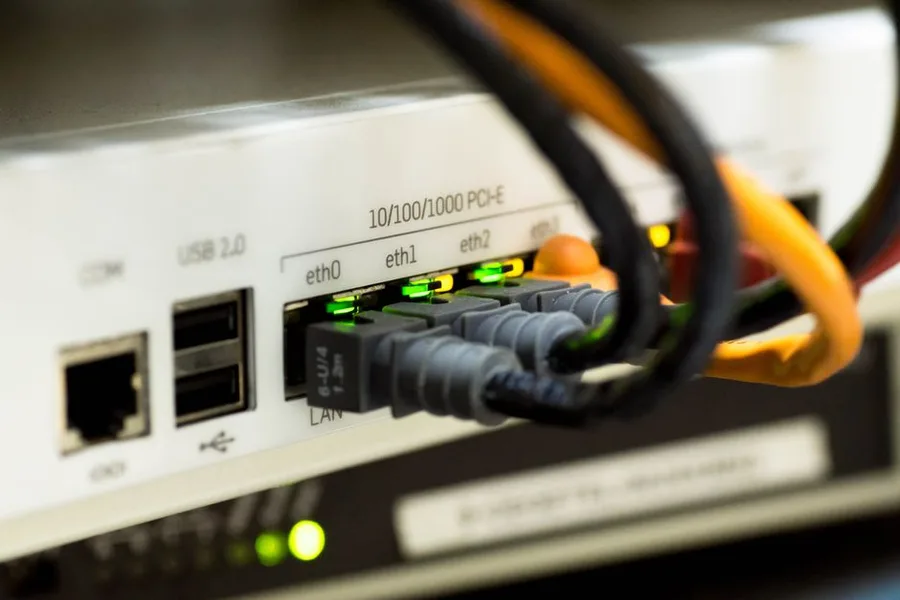
We Tested 12 VPNs — Only 5 Passed. Here's What Actually Works
Speed tests, kill switch verification, DNS leak tests, and privacy policy audits across 12 VPNs. Five passed. Here's which one is right for your situation.
VPN vs Tor: What Each Protects (and Doesn't) in 2026
A VPN hides your IP from your ISP but doesn't stop website tracking. A privacy browser blocks fingerprinting but doesn't hide your IP. Tor anonymizes routing but is 25x slower and vulnerable to timing-analysis attacks. Here's the exact threat model each tool addresses — and which combination makes sense for you.

NordPass Review 2026: Is It Safe and Worth the $24/Year?
Browser password saving is free and convenient. 1Password costs $36/year. NordPass costs $24/year. Here is what the price difference actually buys you — and which one is the right choice depending on how you actually use passwords.